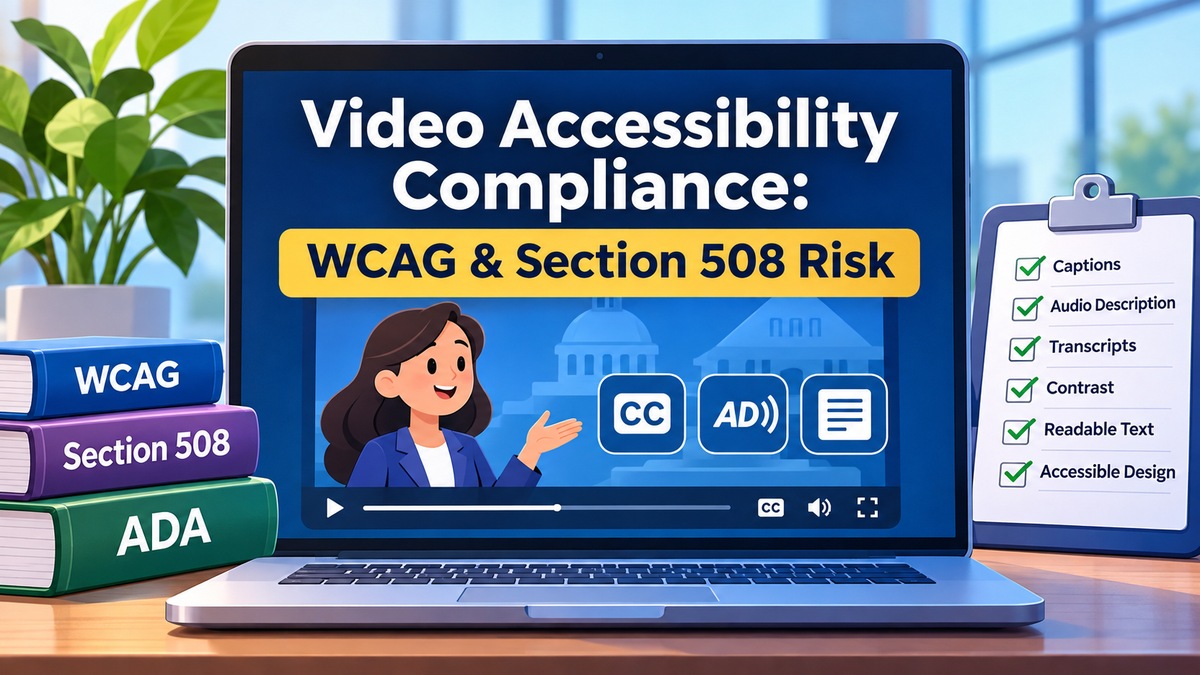
Video accessibility is no longer something enterprises, government agencies, universities, healthcare organizations, and public-sector teams can treat as a final production checkbox.
For CMOs, HR leaders, corporate counsel, government communications teams, and public-sector procurement officers, animation deserves particular attention when it comes to video accessibility compliance.
Organizations publishing animation, explainer videos, training content, public information, product demonstrations, or digital communications, accessibility can affect legal exposure, procurement eligibility, employee access, customer experience, brand reputation, and the usable lifespan of the finished content.
The strongest approach is to consider accessibility from the beginning of production—not after an animation has already been approved and rendered.
That means accessibility can influence:
- Scriptwriting
- Storyboarding
- Visual hierarchy
- Typography
- Color and contrast
- Motion
- Voiceover
- Sound design
- Captions
- Audio description
- Transcripts
- Video-player implementation
- Quality assurance
- Final delivery formats
For enterprises and public-sector organizations, this becomes particularly important when video content must align with Web Content Accessibility Guidelines, commonly known as WCAG, Section 508 requirements, Americans with Disabilities Act considerations, internal accessibility policies, or contractual requirements contained within an RFP.
Video Is Not an Accessibility Loophole
Organizations sometimes invest heavily in making websites, applications, PDFs, and digital forms accessible while treating embedded videos as separate media.
That creates a significant gap.
Video can combine several different forms of information simultaneously:
- Spoken dialogue
- Voiceover
- Music
- Sound effects
- Text displayed on screen
- Charts and graphs
- Animated diagrams
- Demonstrations
- Character actions
- Maps
- Icons
- Visual instructions
- Changes in color or movement
If critical information exists only in one of those channels, some users may not receive the same message.
For example, an animation may visually display an emergency evacuation route while the narrator talks about something else. A blind or low-vision viewer could miss the route entirely unless that information is communicated through narration or audio description.
A training video might use a sound effect to indicate that an action is incorrect. A deaf or hard-of-hearing viewer may miss that distinction unless it is represented in captions or another visual format.
Accessibility therefore requires organizations to think about equivalent communication, not simply whether a video technically plays.
WCAG Is a Standard That Affects Video Content
The World Wide Web Consortium accessibility standards include the Web Content Accessibility Guidelines, which provide internationally recognized guidance for making digital content more accessible.
WCAG addresses four broad principles. Digital content should be:
- Perceivable
- Operable
- Understandable
- Robust
Video and multimedia can fall under several accessibility requirements within those principles.
Organizations commonly work toward WCAG Level AA conformity, although the applicable version and conformity level should be confirmed according to the organization’s legal, regulatory, contractual, and procurement requirements.
WCAG 2.1 and WCAG 2.2 both include requirements relevant to multimedia, including captions and alternatives for time-based media.
For production teams, that means accessibility should influence more than the webpage surrounding a video. The animation itself may need to be designed differently.
Section 508 and Government Video Accessibility
Section 508 is especially important for organizations producing digital content for the U.S. federal government or working within environments where federal accessibility requirements apply.
Federal agencies need accessible information and communications technology, and synchronized media can require specific accessibility accommodations.
Section508.gov provides dedicated guidance for creating accessible synchronized media, including planning for captions, audio descriptions, and text transcripts.
This makes accessibility particularly relevant when animation is produced for:
- Federal departments
- Government contractors
- Public information programs
- Employee training
- Public safety initiatives
- Transportation agencies
- Healthcare programs
- Educational programs
- Government websites
- Public-service campaigns
- Internal government portals
- Procurement deliverables
Organizations commissioning government animation services should identify accessibility requirements during procurement and pre-production rather than waiting for final delivery.
ADA Accessibility Requirements Are Increasing the Stakes
Accessibility risk is not limited to federal Section 508 projects.
The Americans with Disabilities Act can also affect digital accessibility.
The U.S. Department of Justice provides ADA guidance on web accessibility explaining how inaccessible web content can prevent people with disabilities from receiving equal access to information and services.
For state and local governments, accessibility requirements have become even more concrete.
The Department of Justice’s Title II web and mobile accessibility rule generally requires covered state and local government web content and mobile applications to meet WCAG 2.1 Level AA.
Following a 2026 extension, the general compliance dates are:
- April 26, 2027 for state and local governments with populations of 50,000 or more.
- April 26, 2028 for public entities with populations below 50,000 and special district governments.
Because video is part of web content, organizations planning long-lived public-facing animation should consider future accessibility obligations before production begins.
Why Video Creates a Different Accessibility Risk
A webpage can often be modified relatively easily.
Animation is different.
Once a finished video has been scripted, illustrated, animated, narrated, mixed, rendered, captioned, approved, and distributed, correcting an accessibility problem can affect several production stages.
Imagine discovering after approval that essential visual information was never explained audibly.
The correction may become:
Narration rewrite → new voice recording → new edit → animation retiming → sound redesign → rerendering → new captions → new review
That is significantly more expensive than solving the issue during the storyboard stage.
Accessibility therefore has a direct connection to production risk.
The Pillars of Accessible Animation
There is no single feature that automatically makes every video accessible.
Accessibility usually requires several elements working together.
1. Accurate Captions
Captions are one of the most recognizable components of accessible video.
They should communicate meaningful audio information such as:
- Spoken dialogue
- Narration
- Important sound effects
- Relevant music cues
- Speaker identification when necessary
- Other meaningful audio information
Section508.gov provides specific guidance for captions and transcripts, including synchronization, readability, speaker identification, meaningful sounds, and accessible transcript formats.
Automatically generated captions can provide a starting point, but they should not automatically be assumed to provide an equivalent accessible experience.
Names, technical terminology, acronyms, punctuation, speaker changes, and sound descriptions often require human review.
2. Audio Description
Captions solve an audio-access problem.
They do not automatically solve a visual-access problem.
Audio description communicates important visual information that someone may not otherwise receive through the existing soundtrack.
This might include:
- Character actions
- Changes in location
- Important diagrams
- On-screen instructions
- Visual demonstrations
- Data appearing on screen
- Expressions that change the meaning of a scene
- Text that is not otherwise narrated
The best approach is often to design the original narration so it already communicates essential visual information naturally.
That can reduce the amount of separate audio description needed later.
3. Accessible On-Screen Text
Animated text should remain readable.
Production teams should consider:
- Font size
- Typeface
- Display duration
- Background complexity
- Contrast
- Mobile viewing
- Text movement
- Placement
- Reading order
Text that flashes onto the screen for half a second may look stylish but fail as communication.
The same principle applies to statistics, disclaimers, labels, instructions, and calls to action.
4. Color and Contrast
Color can reinforce information, but essential meaning should generally not depend on color alone.
Consider an animated dashboard that shows:
- Green = approved
- Red = rejected
A viewer who cannot distinguish those colors may lose critical information if color is the only differentiator.
A stronger design could combine color with:
- Labels
- Icons
- Shapes
- Patterns
- Text
- Position
Contrast also matters when text, diagrams, buttons, labels, or graphical information must remain distinguishable.
5. Motion and Flashing
Fast flashing, excessive motion, and certain visual patterns can create accessibility concerns.
Animation teams should therefore evaluate whether effects are actually serving the communication objective.
Motion should help viewers understand information—not become an obstacle to understanding it.
This is especially important in:
- Data visualization
- UI demonstrations
- Rapid transitions
- Promotional animation
- Animated backgrounds
- Gaming-related content
- High-energy advertising
- Motion graphics
6. Screen-Reader Alternatives
A screen reader cannot automatically interpret the meaning of every piece of information embedded inside video frames.
If critical information exists visually inside an animation, organizations should consider how equivalent information will be made available.
Solutions may include:
- Narration
- Audio description
- Accessible transcripts
- Surrounding webpage content
- Accessible text alternatives
This should be considered during scripting and storyboarding rather than treated solely as a website-development issue.
7. Accessible Transcripts
A transcript can provide another way to access video information.
Depending on the content and accessibility requirements, an effective transcript may need to contain more than spoken words.
It may also describe essential visual information.
Transcripts can additionally help with:
- Searchability
- Content indexing
- Internal knowledge bases
- Employee reference material
- Localization
- Translation
- Educational use
- Documentation
Are Captions Enough to Make a Video Accessible?
Usually, no.
Captions primarily make meaningful audio information accessible to people who cannot hear it.
They do not automatically communicate meaningful visual information to someone who cannot see the animation.
A video may therefore need a combination of:
✓ Accurate captions
✓ Accessible narration
✓ Audio description where required
✓ Readable on-screen text
✓ Appropriate contrast
✓ Alternatives to color-only communication
✓ Accessible transcripts
✓ Accessible video-player implementation
Accessibility must be evaluated against the actual content.
Why Retrofitting Video Accessibility Can Become Expensive
A common mistake is producing the standard video first and assuming an accessible version can simply be created at the end.
Sometimes it can.
Sometimes it cannot.
Consider a 90-second technical animation containing important labels, diagrams, process steps, and visual transitions.
If the original narration does not explain those elements, adding accessibility later could require a major production revision.
The additional work might involve:
- Accessibility review
- Script revision
- Voiceover rerecording
- Timing changes
- Animation revisions
- New sound mixing
- Caption creation
- Audio-description production
- Transcript preparation
- New stakeholder approvals
- Rerendering and redelivery
Accessibility planning during pre-production is generally more efficient.
Accessibility Risk Can Become Procurement Risk
For enterprises and government organizations, inaccessible content can create a procurement problem before it becomes a public-facing problem.
RFPs increasingly include accessibility requirements relating to:
- WCAG
- Section 508
- Captions
- Transcripts
- Audio description
- Accessible documents
- Testing
- Conformance reporting
- Deliverable specifications
A vendor that cannot explain how accessibility fits into its workflow may create risk for the contracting organization.
Government buyers in particular should determine accessibility requirements before issuing an animation RFP.
Requirements can then be incorporated into:
- Scope of work
- Deliverables
- Technical requirements
- Evaluation criteria
- Acceptance testing
- Vendor responsibilities
Accessibility Can Become an HR and Training Risk
Accessibility also matters for internal corporate communications.
Enterprises increasingly use video and animation for:
- Employee onboarding
- Compliance training
- Cybersecurity education
- Workplace safety
- Product training
- Leadership communications
- Human resources
- Software tutorials
- Operational procedures
If employees cannot access essential training information, the organization may create unnecessary operational and compliance risk.
For this reason, accessibility should be considered even when the animation will never appear on a public website.
Accessibility Can Become Brand Risk
An organization can spend millions of dollars positioning itself as inclusive, modern, and customer-focused while publishing digital content that some customers cannot use.
That disconnect can damage trust.
Accessible animation helps organizations communicate that their message is intended for a broader audience.
It can also improve the general usability of video for people who:
- Watch without sound
- Use mobile devices
- Speak English as a second language
- Are in noisy environments
- Are in quiet workplaces
- Prefer written reference material
- Have temporary impairments
- Process information differently
Accessibility often improves usability beyond the audience originally targeted by the accommodation.
Accessible 2D Animation
2D animation is frequently used for training, public information, explainers, healthcare communication, government programs, and educational content.
Its relatively controlled visual environment creates opportunities to plan accessibility carefully.
Production teams can deliberately manage:
- Contrast
- Typography
- Character movement
- Icons
- Visual hierarchy
- Labels
- Narration
- Color coding
- Data visualization
- Caption-safe areas
The storyboard stage is particularly valuable because accessibility problems can often be identified before full animation begins.
Accessible 3D Animation
3D animation can create additional accessibility considerations because the information may depend heavily on visual demonstration.
For example, a 3D animation might show:
- Machinery operation
- Medical procedures
- Construction sequencing
- Infrastructure
- Product assembly
- Architectural environments
- Transportation systems
- Safety procedures
If viewers must see a physical movement to understand the message, the script and audio-description strategy become especially important.
Accessibility planning should therefore identify which visual actions are essential to understanding the subject.
An Accessibility-First Animation Workflow
Rather than treating accessibility as a final task, organizations can integrate it throughout production.
A practical workflow is:
Requirements → Script → Storyboard → Accessible Style Frames → Animation → Audio → Captions → Description → QA → Delivery
Phase 1: Requirements
Identify:
- Applicable accessibility standards
- WCAG target
- Section 508 requirements
- Procurement requirements
- Caption requirements
- Transcript requirements
- Audio-description requirements
- Languages
- Platforms
- Player requirements
- Required documentation
Phase 2: Script
Determine whether the narration communicates essential information without forcing the viewer to rely exclusively on visuals.
Phase 3: Storyboard
Review:
- Reading order
- Visual hierarchy
- On-screen text
- Color
- Contrast
- Essential visual information
- Timing
- Audio-description opportunities
Phase 4: Style Frames
Evaluate typography, contrast, graphical elements, labels, and color before full animation production begins.
Phase 5: Animation
Maintain accessibility decisions as movement, transitions, and effects are added.
Phase 6: Audio
Produce clear narration and ensure meaningful audio information can be represented appropriately in captions.
Phase 7: Captions and Transcripts
Create and review accessible text equivalents.
Phase 8: Quality Assurance
Review the final deliverables against the project’s defined accessibility requirements before approval.
Should You Hire a Freelancer or an Accessibility-Aware Animation Studio?
A freelancer may be appropriate for a small animation with limited requirements.
Projects become more complicated when multiple specialties must work together.
Accessible animation may require coordination between:
- Scriptwriters
- Storyboard artists
- Illustrators
- 2D animators
- 3D animators
- Motion designers
- Voice actors
- Audio engineers
- Captioning specialists
- Accessibility reviewers
- Web teams
- Procurement teams
- Legal or compliance teams
- Subject-matter experts
An experienced animation studio can manage these dependencies as a single production workflow rather than treating accessibility as an independent post-production task.
What Should an Animation RFP Say About Accessibility?
Organizations preparing an RFP should avoid vague requirements such as:
“Video should be accessible.”
Instead, the procurement team should identify the specific deliverables and standards that apply.
Potential requirements include:
- Target WCAG standard and conformity level
- Section 508 requirements
- Caption format
- Transcript requirements
- Audio-description requirements
- Languages
- Contrast requirements
- Accessible player requirements
- Alternative versions
- Testing methodology
- Documentation requirements
- Final acceptance criteria
The vendor should also understand which party is responsible for accessibility after the final video is embedded within the organization’s website or application.
Questions Leadership Teams Should Ask Before Production
Before approving a major animation project, decision makers should ask:
- Who will watch this video?
- Where will it be published?
- Are government accessibility standards involved?
- Does an RFP or contract specify WCAG or Section 508?
- Is any critical information presented visually only?
- Is any critical information presented through audio only?
- Will captions be required?
- Will audio description be required?
- Will a transcript be required?
- Does the organization have internal accessibility standards?
- Will translated versions be needed?
- Who will perform accessibility QA?
- Who is responsible for the final web implementation?
Answering these questions before storyboarding can prevent expensive corrections later.
Accessible Animation Is Also Better Communication
Accessibility should not be viewed only as compliance.
Many accessibility practices improve communication for everybody.
Clear narration improves comprehension.
Readable text improves comprehension.
Strong contrast improves comprehension.
Logical pacing improves comprehension.
Captions improve comprehension.
Transcripts improve referenceability.
Well-planned visual hierarchy improves comprehension.
When accessibility is incorporated intelligently, the result can be a stronger piece of communication rather than a compromised creative product.
Accessibility Should Be Part of the Production Mandate
For enterprise, government, healthcare, education, public-sector, and regulated organizations, animation accessibility deserves to be treated as a production requirement.
The relevant questions should be asked before script approval, not after final rendering.
Accessibility requirements can affect:
- Creative direction
- Budget
- Schedule
- Voiceover
- Animation complexity
- Deliverables
- Testing
- Procurement
- Legal review
- Distribution
Organizations that define these requirements early are better positioned to control both production cost and compliance risk.
The Bottom Line
Video accessibility is becoming an increasingly important part of digital communication.
For many organizations, the issue extends beyond captions.
WCAG, Section 508, ADA considerations, procurement requirements, internal policies, and audience expectations can affect the entire animation workflow.
The most efficient approach is to build accessibility into production from the beginning:
Requirements → Script → Storyboard → Accessible Design → Animation → Audio → Captions → Description → QA → Delivery
This reduces the likelihood that accessibility problems will require expensive revisions after the project has already been completed.
Just Animations works with businesses, enterprises, government agencies, public-sector organizations, healthcare organizations, nonprofits, and other organizations requiring professional animated video production.
Our team can incorporate accessibility requirements into the production workflow from initial planning through final delivery.
Contact us to discuss an animation project, RFP, accessibility requirement, or upcoming video-production initiative.
Disclaimer: This article provides general information about animation and digital accessibility and is not legal advice. Accessibility obligations vary according to jurisdiction, organization, technology, contract, content, and use case. Organizations should consult qualified legal or accessibility professionals regarding requirements that apply to their specific circumstances.
Frequently Asked Questions
What is video accessibility compliance?
Video accessibility compliance means designing and delivering video so people with disabilities can access the important information being communicated. Depending on the content and applicable requirements, this may involve captions, transcripts, audio description, readable on-screen text, sufficient contrast, alternatives to color-only communication, accessible narration, and compatible video-player implementation.
Does WCAG apply to videos?
Yes. WCAG contains requirements relating to multimedia and time-based media, including captions and alternatives for certain audio and visual content. The exact requirements depend on the content, WCAG version, conformity level, and applicable legal or contractual obligations.
What does Section 508 require for video?
Section 508 accessibility requirements can apply to electronic content and synchronized media produced for U.S. federal environments. Depending on the media, requirements may include captions, audio description, transcripts, and other accessible alternatives. Federal agencies and contractors should identify the applicable requirements before production begins.
Are captions enough to make an animation WCAG compliant?
Not necessarily. Captions primarily provide access to meaningful audio information. If essential information is communicated visually but not through the audio track, additional measures such as audio description, revised narration, or an accessible transcript may be needed. Accessibility must be evaluated based on the actual animation.
Is it expensive to make an existing video accessible?
The cost depends on how the original video was produced. Adding accurate captions and a transcript may be relatively straightforward. However, if important visual information was never communicated through narration, accessibility retrofits can require script changes, new voiceover, animation retiming, audio editing, rerendering, new captions, and additional approvals. Planning accessibility before production is generally more efficient.
Can screen readers read text inside an animation?
A screen reader does not automatically understand every piece of text or visual information embedded inside rendered video frames. Essential information displayed visually should therefore be communicated through an appropriate accessible alternative, which may include narration, audio description, transcripts, or accessible surrounding webpage content.
Can Just Animations produce WCAG and Section 508 accessible animation?
Just Animations can incorporate defined accessibility requirements into an end-to-end animation workflow covering requirements, scripting, storyboarding, accessible visual planning, animation, audio, captions, audio-description planning, transcripts, quality assurance, and delivery. The applicable WCAG, Section 508, contractual, legal, or organizational requirements should be identified at the beginning of the project so they can be incorporated into production.