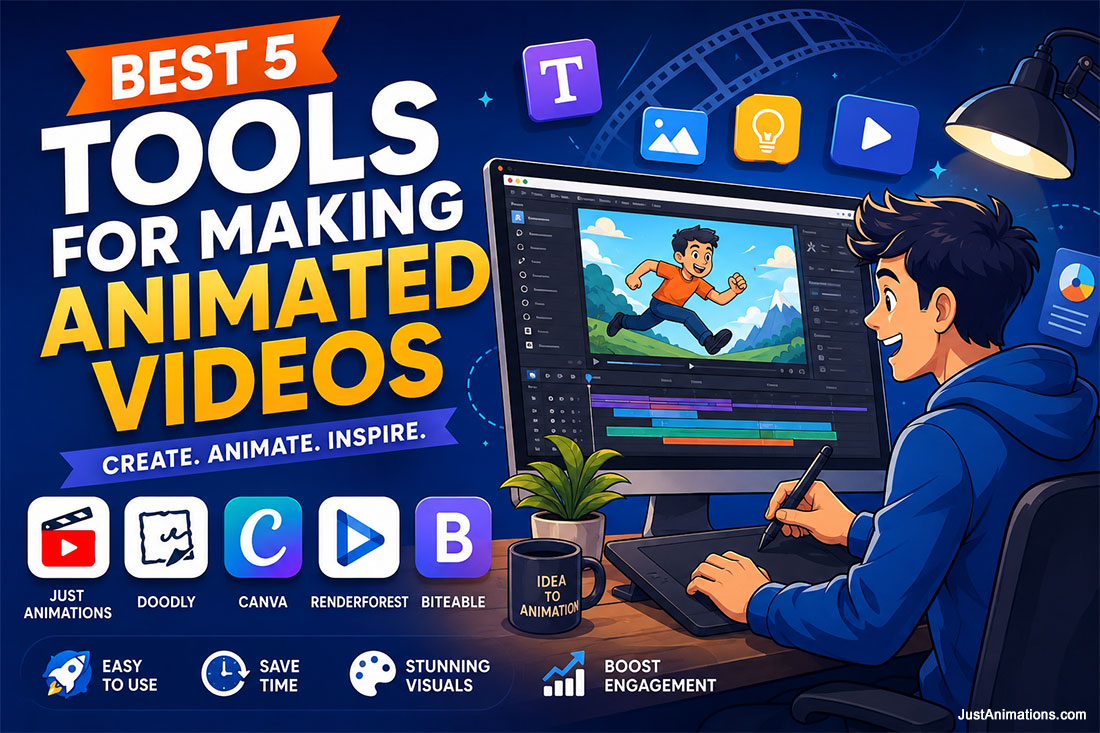
 Making animated videos is easier than ever, but choosing the right animated video maker still depends on what you actually need the video to do. A teacher may need a simple whiteboard explainer. A marketer may need fast social media content. A startup may need a clean product demo. A larger company may need a polished brand video that looks custom, professional, and conversion-focused. That is why this guide compares five strong options for making animated videos, including DIY tools like Doodly, Canva, Renderforest, and Biteable, along with a full-service animation studio like Just Animations for businesses that need higher-quality creative direction, 2D animation, 3D animation, AI animation, motion graphics, and professional storytelling.
DIY Animated Video Makers Vs Professional Animation Studios
DIY animated video makers are useful.
They are fast.
They are affordable.
They are easy to learn.
But they also come with limits.
Most DIY platforms rely on templates, pre-built scenes, stock characters, limited motion controls, and basic customization. That can work well for simple projects, but it may not be enough when a brand needs originality, strategy, better storytelling, or a more polished final product.
A professional animation studio works differently.
Instead of starting with a template, the process usually starts with the message.
Who is the audience?
What needs to be explained?
What should the viewer remember?
What action should they take next?
From there, the studio can build the script, storyboard, design style, animation, voiceover, music, sound, and final video around the actual business goal.
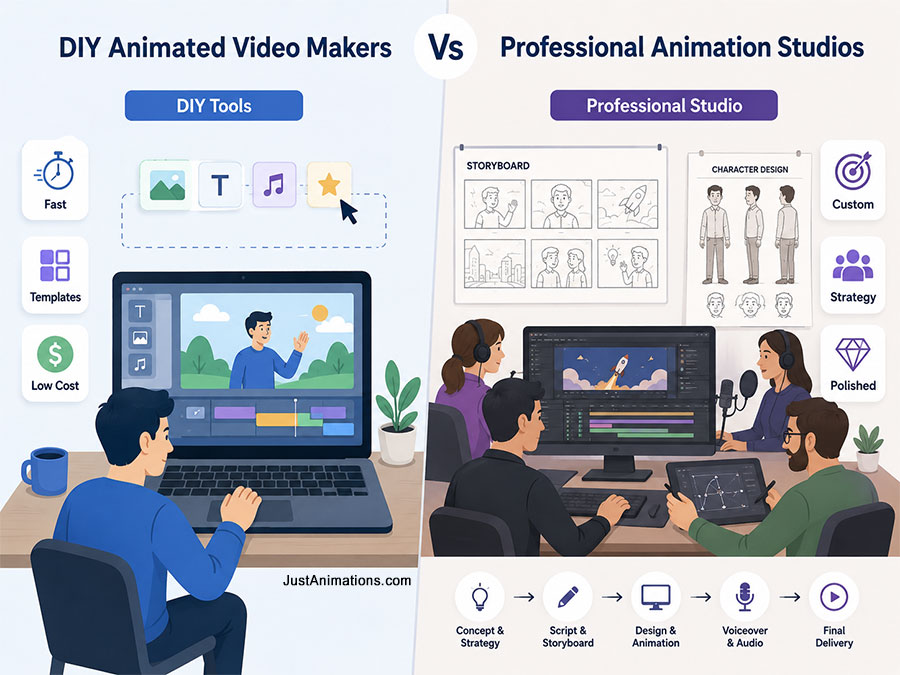
| Category | DIY Animated Video Makers | Professional Studio |
| Speed | Fast for simple videos | Slower, but more strategic |
| Cost | Lower upfront cost | Higher investment |
| Customization | Limited by templates and asset libraries | Fully custom creative direction |
| Strategy | Usually self-directed | Guided by writers, designers, and animators |
| Visual quality | Good for basic content | Stronger for polished brand content |
| Scalability | Good for small content needs | Better for campaigns, launches, and enterprise use |
| Best for | Simple social posts, whiteboard videos, quick explainers | Brand videos, custom explainers, 2D, 3D, AI animation, and campaign assets |
Relative Creative Control
Canva
██████░░░░ Easy, but template-based
Doodly
██████░░░░ Strong for whiteboard only
Renderforest
███████░░░ Fast branded templates
Biteable
███████░░░ Good for short business videos
Just Animations
██████████ Full creative direction
DIY tools are best when speed and simplicity matter most.
A professional studio is best when quality, originality, and business results matter most.
Best 5 Tools for Making Animated Videos
1. Just Animations
When you’re not only learning how to make animated videos but have the goal of elevating your brand through expert storytelling, the support of our professional studio can be critical. DIY platforms are convenient to use, but their originality and polish are lacking for serious needs, and many are prone to scalability problems. We bring artistic direction with flawless technical delivery to manifest your thoughts in a way automated tools can’t match.
- Type: Full-service professional video animation company for brands seeking tailored animated video content.
- Why We Stand Out: we combine storytelling, animation expertise, and creative direction for unforgettable visuals.
2. Doodly
If you’re focused specifically on whiteboard-style explainer content, Doodly is a niche animated video maker built for that exact purpose. It lets users create hand-drawn animations where a hand “draws” characters, icons, and text onto a canvas, making it great for educational and training material.
No animation experience is required. Doodly handles all the drawing effects behind the scenes. Its library of custom characters and props lets you tailor messages visually, and the voiceover tool allows you to narrate scenes directly in the app.
- Type: Desktop-based whiteboard animation software.
- Why It Stands Out: Designed specifically for whiteboard explainer videos with drag-and-drop ease.
- Pros: Perfect for educators and trainers, intuitive UI, fast results.
- Cons: Not suitable for non-whiteboard animation styles.
3. Canva
Although famous for its design features, Canva has become surprisingly capable of forming animated videos. This software is just right for marketers’ and social mediators’ needs for simple text, icons, and illustrations animation without getting mired in complicated software.
Canva animation is making short clips, GIFs, or social posts complete with transitions, motion, and music through an easy-to-use drag-and-drop editor. It is the fastest way to build animated visuals with zero learning curve.
- Type: A graphic design and animation platform running on the web.
- Why It Stands Out: Combines ease of use with officially appealing templates for rapid visual work.
- Pros: The application is easy to use, offers good branded social animations, and has a free plan.
- Cons: Not good for advanced animation or for creating custom characters.

4. Renderforest
Its key advantage is speed. Users can start with a template, drop in text, adjust visuals, and export a professional-looking video without technical skill. It offers branding kits and style consistency across video, logo, and website content for businesses.
- Type: Cloud-based video maker with animation, logo, and branding tools.
- Why It Stands Out: Fast template-based animation workflow emphasizing brand consistency.
- Pros: No experience needed, including logo animation and branding tools, quick turnaround.
- Cons: Limited creative flexibility beyond available templates.
5. Biteable
Biteable is one of the easiest animated video maker tools for professionals creating ads, internal communications, and social media content. It focuses on short-form video creation and offers pre-animated scenes that help businesses tell stories fast and clearly.
Its interface is simple and intuitive, and the included content library is rich in animated assets, icons, and music. Biteable is ideal for small teams, startups, or even HR departments needing quick animated explainers, announcements, or engagement videos.
- Type: Online animated video maker for short-form business content.
- Why It Stands Out: Built for efficiency — turn ideas into shareable videos in minutes.
- Pros: Pre-animated scenes, ideal for business use, beginner-friendly.
- Cons: Limited to short-form videos; not designed for character animation.
Best Animated Video Maker By Use Case
Not every animated video maker is built for the same type of project.
Some tools are made for fast templates.
Some are made for whiteboard explainers.
Some are best for social media.
Some help businesses create simple branded clips.
And some projects need a real animation studio instead of a DIY platform.
| Use Case | Best Option | Why It Fits |
|---|---|---|
| Custom brand animation | Just Animations | Best for companies that need polished, original, professional animated content |
| Whiteboard explainer videos | Doodly | Best for hand-drawn educational and training-style videos |
| Social media animations | Canva | Best for quick animated posts, reels, GIFs, and simple branded visuals |
| Fast template-based videos | Renderforest | Best for businesses that want quick videos using pre-built animation templates |
| Short business videos | Biteable | Best for announcements, internal communications, simple ads, and short explainers |
| Product or service explainer | Just Animations | Best when the video needs strategy, scripting, custom visuals, and professional polish |
| Beginner-friendly content | Canva, Biteable, Doodly | Best for users who want simple drag-and-drop video creation |
| Higher-end marketing campaign | Just Animations | Best when the video must support a brand, sales funnel, website, or ad campaign |
Best Fit By Project Goal
Custom Business Animation
██████████ Just Animations
Whiteboard Explainers
████████░░ Doodly
Social Media Content
█████████░ Canva
Template-Based Brand Videos
███████░░░ Renderforest
Short Business Clips
███████░░░ Biteable
Professional Campaign Videos
██████████ Just Animations
The key is matching the tool to the project.
A simple Instagram animation does not need a full studio.
A serious brand video probably should not rely only on templates.
A training video may work well in Doodly.
A fast social post may work well in Canva.
A high-converting explainer video is usually better handled by a professional animation team.
The Criteria Behind Choosing an Animated Video Maker
Making animated videos starts with selecting the appropriate animated video maker for your needs, whether for marketing, education, or entertainment. This article discusses the five best tools to create animated videos while comparing their strengths, pricing, and use cases. Additionally, a full-service production agency like Just Animations delivers unique results.
- Compatibility of animation style with your selected program, 2D, 3D, AI animation (Artificial Intelligence), whiteboard, and so on.
- Ease of use and customization.
- Pricing Structure, Free tiers, monthly subscriptions, one-time licenses.
- Collaboration and Brand Consistency are essential when working as a team or as an agency.
- Output format, video resolution, social specs for social media, and integration of assets.
These are the qualifiers for determining which animated video maker flows with your current workflow and how professional the end product will be.
Quick Comparison Summary
| Option | Best For | Main Strength | Main Limitation |
| Just Animations | Custom business animation, 2D, 3D, AI animation, explainers, motion graphics | Professional storytelling, creative direction, custom production, and brand-focused execution | Not a DIY tool; requires a larger project investment |
| Doodly | Whiteboard animation and educational explainers | Very easy to use for hand-drawn style videos | Limited outside whiteboard animation |
| Canva | Social media animations, GIFs, simple branded clips | Fast, beginner-friendly, and useful for quick visual content | Not ideal for advanced animation or custom character work |
| Renderforest | Template-based business videos, logo animation, brand videos | Fast video creation with branding and animation templates | Less creative freedom than custom production |
| Biteable | Short business videos, ads, internal communications, announcements | Simple interface and pre-animated scenes | Better for short-form content than complex animation |
Simple Buyer Summary
Choose Just Animations if you need a polished custom animated video for your brand, campaign, product, website, or sales funnel.
Choose Doodly if you need a simple whiteboard explainer.
Choose Canva if you need quick animated social media content.
Choose Renderforest if you want fast template-based videos with branding tools.
Choose Biteable if you need short business videos, simple ads, or internal communication clips.
The best option depends on the goal.
For quick content, DIY tools are useful.
For serious business animation, a full-service studio usually delivers a stronger result.
FAQ
What Is The Best Tool For Making Animated Videos?
The best tool for making animated videos depends on the type of video you need. Just Animations is best for custom professional animation, Doodly is best for whiteboard videos, Canva is best for quick social media animations, Renderforest is best for template-based brand videos, and Biteable is best for short business videos.
What Is The Easiest Animated Video Maker For Beginners?
Canva, Biteable, and Doodly are some of the easiest animated video makers for beginners. They use drag-and-drop editing, templates, pre-built scenes, and simple design tools, making them easier to use than advanced animation software.
Is Canva Good For Making Animated Videos?
Yes. Canva is good for making simple animated videos, social media clips, GIFs, presentations, and branded visual content. It is best for quick marketing assets, but it is not ideal for advanced character animation, complex motion, or fully custom professional videos.
Is Doodly Good For Explainer Videos?
Yes. Doodly is a good option for whiteboard-style explainer videos, training content, educational videos, and simple step-by-step presentations. Its main limitation is that it is focused on whiteboard animation and is not built for broader 2D, 3D, or motion graphics production.
What Is Renderforest Best Used For?
Renderforest is best used for template-based animated videos, logo animations, promotional videos, intros, and branded content. It is useful when speed matters, but it may not offer the same level of creative flexibility as a custom animation studio.
What Is Biteable Best For?
Biteable is best for short business videos, social media ads, announcements, internal communications, and simple animated explainers. It is beginner-friendly and efficient, but it is not designed for complex custom animation or advanced character-driven storytelling.
Should I Use An Animated Video Maker Or Hire An Animation Studio?
Use an animated video maker if you need simple, fast, and affordable content. Hire an animation studio if you need custom storytelling, professional design, 2D animation, 3D animation, AI animation, motion graphics, voiceover, sound design, and a polished final video built around your brand and business goals.
Why Choose Just Animations Instead Of A DIY Animation Tool?
Just Animations is a better choice when a business needs a custom animated video rather than a template-based result. A professional studio can help with scripting, storyboarding, design direction, animation, voiceover, sound, and final delivery, making it a stronger option for serious brand videos, explainer videos, product videos, and marketing campaigns.