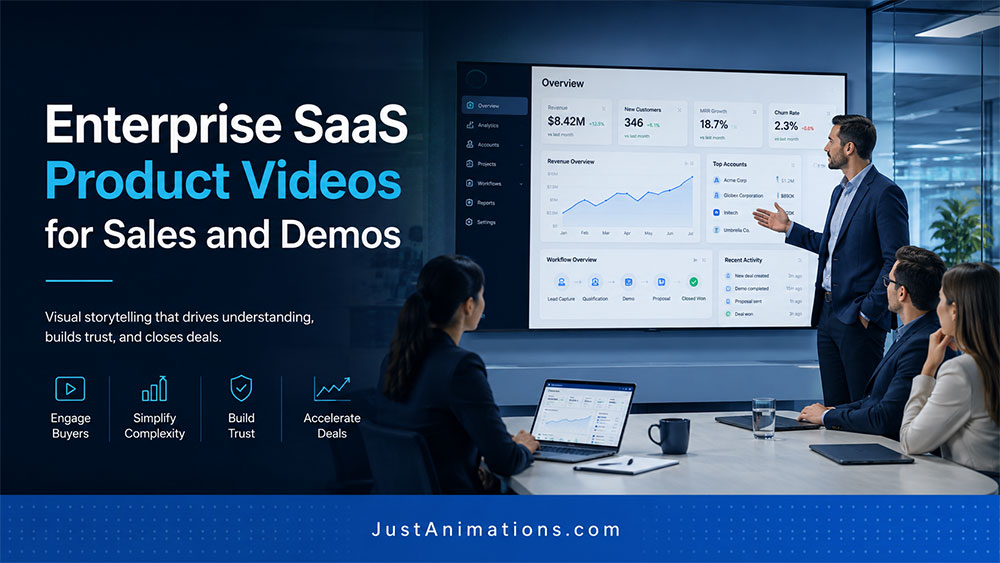
Enterprise Animation SaaS product videos help software companies explain what their platform does, why it matters, and how it supports buyers during the sales process.
That sounds simple.
But enterprise SaaS is rarely simple.
The product may include dashboards, workflows, automations, user roles, integrations, reporting, AI features, analytics, onboarding flows, security layers, compliance tools, and internal business processes.
A sales rep can explain those features on a demo call.
A deck can summarize them.
A product page can list them.
But a strong SaaS product video can show the value faster.
It can turn a complex platform into a clear visual story that helps buyers understand the product before, during, and after the sales conversation.
That is why enterprise SaaS product videos are so useful.
Enterprise SaaS Product Videos: The Short Answer
An enterprise SaaS product video is a professional video that explains a software platform, product workflow, feature set, use case, or buyer value proposition through animation, motion graphics, interface visuals, screen-style sequences, or guided product storytelling.
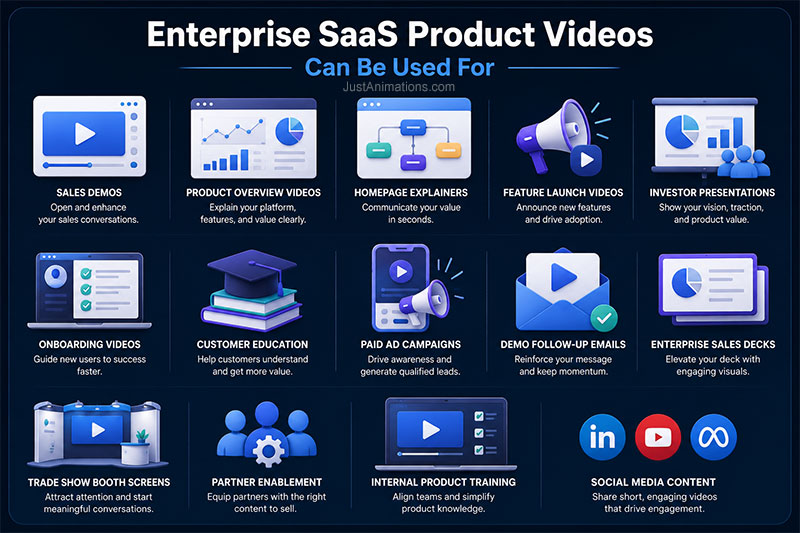
It can be used for:
✓ Sales demos
✓ Product overview videos
✓ Homepage explainers
✓ Feature launch videos
✓ Investor presentations
✓ Onboarding videos
✓ Customer education
✓ Paid ad campaigns
✓ Demo follow-up emails
✓ Enterprise sales decks
✓ Trade show booth screens
✓ Partner enablement
✓ Internal product training
The goal is not just to show screens.
The goal is to help the buyer understand what the software helps them do.
Enterprise SaaS Product Video Snapshot
| SaaS Sales Need | How Video Helps | Common Output |
|---|---|---|
| Explain Platform Value | Turns features into business outcomes | Product overview video |
| Support Sales Demos | Gives reps a repeatable visual asset | Demo intro video |
| Show Workflows | Demonstrates how users move through tasks | Workflow animation |
| Launch Features | Explains what is new and why it matters | Feature launch video |
| Educate Buyers | Reduces confusion before sales calls | Buyer education video |
| Support Follow-Up | Reinforces key points after demos | Short email video |
| Train Users | Shows how to use core features | Onboarding module |
A strong SaaS video should not feel like a screen recording with music.
It should feel like a guided explanation.
Why SaaS Products Are Hard To Explain
Enterprise animation studio for SaaS platforms are often difficult to explain because buyers do not only care about features.
They care about outcomes.
The buyer wants to know:
- What problem does this solve?
- Who uses it?
- How does it fit into our workflow?
- What does it replace?
- How does it save time?
- How does it improve decisions?
- How does it reduce risk?
- How does it integrate with existing systems?
- How hard is it to adopt?
- Why is this better than competitors?
- What will my team actually experience?
A product tour that simply says “click here, then click here” may not answer those questions.
A strong SaaS product video connects workflow to value.
SaaS Product Video Value Scorecard
| Sales Value | Importance | Visual Score |
|---|---|---|
| Product Clarity | 10/10 | ██████████ |
| Sales Enablement | 10/10 | ██████████ |
| Workflow Understanding | 9/10 | █████████ |
| Buyer Education | 9/10 | █████████ |
| Demo Support | 8/10 | ████████ |
| Feature Launch Value | 8/10 | ████████ |
| Investor Communication | 7/10 | ███████ |
| Lowest Cost | 3/10 | ███ |
For enterprise SaaS sales, clarity can shorten the distance between interest and understanding.
That matters because confused buyers slow down.
Best Uses For Enterprise SaaS Product Videos
Enterprise SaaS product videos work well when the platform is powerful, but not immediately obvious.
They are especially useful for:
- AI software platforms
- Cybersecurity SaaS
- Analytics dashboards
- CRM and sales platforms
- Workflow automation tools
- HR technology
- Fintech platforms
- Healthcare software
- Legal technology
- Construction software
- Real estate platforms
- Smart city platforms
- Logistics and supply chain SaaS
- Risk management platforms
- Data visualization tools
- Enterprise productivity tools
- Compliance management software
The more complex the workflow, the more valuable a clear product video becomes.
Budget Ladder: Enterprise SaaS Product Videos
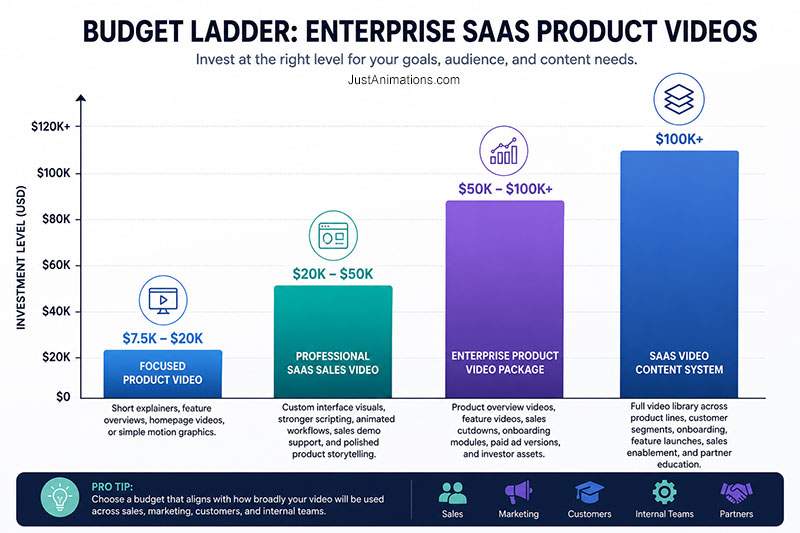
$7.5K to $20K: Focused Product Video
This can support a short SaaS explainer, feature overview, homepage video, or simple motion graphics product walkthrough.
$20K to $50K: Professional SaaS Sales Video
This range can support custom interface visuals, stronger scripting, animated workflows, sales demo support, and polished product storytelling.
$50K to $100K+: Enterprise Product Video Package
This can support product overview videos, feature videos, sales cutdowns, onboarding modules, paid ad versions, and investor presentation assets.
$100K+: SaaS Video Content System
At this level, the project may include a full video library across product lines, customer segments, onboarding, feature launches, sales enablement, and partner education.
The budget should match how broadly the video will be used.
A homepage video has value.
A reusable SaaS video system can support marketing, sales, customer success, onboarding, investors, and partners.
Typical Pricing Breakdown For Enterprise SaaS Product Videos
SaaS video production usually requires strong message planning and visual clarity.
| Production Area | Typical Budget Share | What It Covers |
|---|---|---|
| Strategy & Product Discovery | 15% | Product goals, buyer audience, sales use case, positioning |
| Script & Story Development | 15% | Message structure, workflow narrative, CTA planning |
| Interface Design & Pre-Production | 20% | UI visuals, storyboards, style frames, scene planning |
| Animation Production | 25% | Motion graphics, interface animation, transitions, editing |
| Audio & Post-Production | 10% | Voiceover, music, sound design, final polish |
| Versions & Deliverables | 15% | Sales versions, website files, social cutdowns, demo assets |
For SaaS videos, the biggest mistake is underfunding the script and visual planning.
If the message is unclear, better animation will not fix it.
Cost Driver Meter
Here is what usually increases the cost of enterprise SaaS product videos.
Complex Workflow Explanation
Cost Impact: High
████████
Custom Interface Animation
Cost Impact: High
████████
Multiple User Roles Or Dashboards
Cost Impact: Medium to High
███████
AI, Data, Or Analytics Visualization
Cost Impact: Medium to High
███████
Feature Launch Cutdowns
Cost Impact: Medium
██████
Sales And Demo Versions
Cost Impact: Medium to High
███████
Stakeholder Review
Cost Impact: Medium
██████
Rush Timeline
Cost Impact: Medium to High
███████
A SaaS product video may look simple on the surface.
But explaining a complex platform clearly takes strategy.
SaaS Product Video Decision Guide
| Business Goal | Best Video Direction | Why It Works |
|---|---|---|
| Explain platform value | Product overview video | Shows what the software does and why it matters |
| Open sales demos | Short demo intro video | Gives buyers context before the live walkthrough |
| Launch a feature | Feature announcement video | Explains new functionality quickly |
| Reduce demo confusion | Workflow animation | Shows the process in a controlled way |
| Support enterprise buying teams | Buyer education video | Helps multiple stakeholders understand value |
| Train users | Onboarding video | Shows how to use the product consistently |
| Support investors | Product vision video | Connects platform capability to market opportunity |
The best SaaS video is not always a full product tour.
Sometimes the strongest asset is a short video that explains the value before the demo begins.
Screen Recording Vs Animated SaaS Product Video
Screen recordings are useful for tutorials, quick support, and tactical training.
But enterprise SaaS often needs more polish and clarity.
Screen Recording
Lower cost.
Shows the real interface.
Useful for tutorials.
Can feel dry or overly detailed.
May expose unfinished UI or clutter.
Often less effective for executive buyers.
Animated SaaS Product Video
More polished.
Simplifies the interface.
Shows workflows clearly.
Can highlight value instead of every click.
Better for sales, marketing, and product launches.
Can feel more premium and controlled.
The best approach can combine both.
Use polished animated videos for sales and marketing.
Use screen recordings for detailed training and support.
What A Strong SaaS Product Video Should Include
A strong enterprise SaaS product video should usually include:
✓ Clear problem statement
✓ Buyer-relevant use case
✓ Simple product positioning
✓ Workflow explanation
✓ Key feature highlights
✓ Business outcome
✓ Clean interface visuals
✓ Minimal jargon
✓ Strong pacing
✓ Clear next step
✓ Versions for sales and marketing
The video should not try to show every feature.
That is what demos and documentation are for.
A product video should make buyers want the demo, understand the value, or remember the product.
Common Enterprise SaaS Video Deliverables
| Deliverable | Best Use |
|---|---|
| Product Overview Video | Website, homepage, sales intro |
| Demo Intro Video | Sales calls and follow-up emails |
| Feature Launch Video | Product updates, campaigns, customer education |
| Workflow Animation | Buyer education and process explanation |
| Onboarding Module | Customer success and training |
| Investor Version | Fundraising, board, stakeholder presentations |
| Paid Ad Cutdown | LinkedIn, YouTube, retargeting |
| Social Cutdown | Short-form product awareness |
| No-Voiceover Version | Trade shows, events, display screens |
A SaaS product video can often be reused across the entire revenue cycle.
That is where the value increases.
Buyer Readiness Checklist
Before creating an enterprise SaaS product video, prepare:
✓ Product description
✓ Target buyer profile
✓ Primary use case
✓ Key workflow
✓ Core features to show
✓ Business outcomes
✓ Screenshots or product access
✓ Brand guidelines
✓ Sales deck
✓ Demo flow
✓ Buyer objections
✓ Competitive differentiators
✓ Required video length
✓ Distribution channels
✓ Stakeholders and review process
✓ Budget range
✓ Timeline
The clearer the product story, the stronger the video can be.
Buyer Readiness Meter
| Buyer Input | Readiness Impact | Visual Score |
|---|---|---|
| Product Positioning | Very High | ██████████ |
| Core Use Case | Very High | ██████████ |
| Demo Flow | High | ████████ |
| Screenshots Or Product Access | High | ████████ |
| Buyer Persona | High | ████████ |
| Brand Guidelines | Medium to High | ███████ |
| Sales Materials | Medium to High | ███████ |
| Distribution Plan | Medium | ██████ |
SaaS videos work best when the team knows what the buyer needs to understand first.
Not everything needs to be explained at once.
Red Flags To Avoid
Be careful if a studio:
✕ Treats the video like a basic screen recording
✕ Does not ask about the buyer or sales process
✕ Tries to show every feature
✕ Uses too much tiny interface text
✕ Skips scripting and storyboarding
✕ Does not simplify the workflow
✕ Cannot create clean UI-style visuals
✕ Ignores sales team use cases
✕ Provides only one final file
✕ Does not plan for cutdowns or demo use
Enterprise SaaS videos need clarity and restraint.
More screens do not automatically mean a better video.
How Just Animations Approaches Enterprise SaaS Product Videos
Just Animations creates SaaS product videos, explainer video animation, motion graphics, 2D animation, 3D animation, product animation, animated commercials, corporate videos, training videos, AI-assisted animation, social media videos, and video production.
For enterprise SaaS companies, the focus is on explaining product value clearly and visually.
That can mean simplifying workflows, animating dashboards, showing software outcomes, supporting sales demos, or creating content that helps buyers understand the platform faster.
The best SaaS product video does not just show the interface.
It shows why the interface matters.
Final Thoughts
Enterprise SaaS product videos are valuable because they help software companies explain complex platforms clearly and consistently.
They can support sales teams, improve demo conversations, educate buyers, launch features, train users, and strengthen investor communication.
The goal is not to show every button.
The goal is to make the product easier to understand and easier to trust.
A strong SaaS product video turns software complexity into a visual story.
That can help buyers move from confusion to interest faster.
And in enterprise sales, that matters.
FAQ
What is an enterprise SaaS product video?
An enterprise SaaS product video is a professional video that explains a software platform, product workflow, feature, use case, or business outcome through animation, motion graphics, interface visuals, or guided product storytelling.
How much does a SaaS product video cost?
A SaaS product video can cost from $7,500 to $20,000 for focused product explainers. More advanced enterprise SaaS videos, custom interface animations, sales demo assets, and multi-video content packages can cost $50,000 to $100,000+.
Why use animation for SaaS product videos?
Animation is useful for SaaS product videos because it can simplify complex dashboards, workflows, integrations, automations, AI features, and data visualizations without overwhelming the viewer with too many interface details.
What should a SaaS product video include?
A SaaS product video should include the problem, use case, product positioning, key workflow, important features, business outcome, clean interface visuals, clear pacing, and a next step such as booking a demo or contacting sales.
Is a SaaS product video better than a screen recording?
A SaaS product video is better for sales, marketing, and product launches because it can simplify the interface and explain value clearly. Screen recordings are better for tutorials, support, and detailed user training.